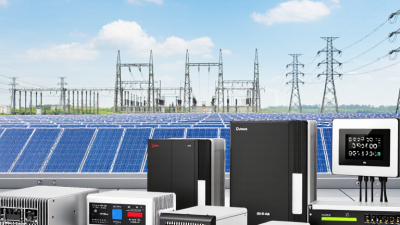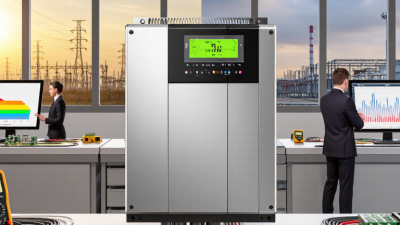
Solar power electronics are the working layer between sunlight and usable electricity. They include inverters, optimizers, and monitoring controls. The right choice affects energy harvest, system safety, maintenance, and how smoothly a solar array connects to a building or grid.
The market is growing quickly. The International Energy Agency’s Renewables 2024 report says global renewable capacity additions reached almost 510 gigawatts in 2023. Solar photovoltaic power made up about three-quarters of that increase. More installations mean more equipment choices, but also more details to check: inverter efficiency, operating temperature, warranty terms, compatibility, and support after installation. A high efficiency figure alone is not a buying decision.
Professor Frede Blaabjerg, a leading power-electronics researcher, has emphasized in his published work that power electronics are key to integrating renewable energy sources into electrical grids. That point matters on a real roof, where shade, heat, wiring, and changing loads can affect performance. This guide offers 10 practical tips for choosing solar power electronics, with attention to specifications and everyday operating conditions. Still, datasheets do not tell the whole story. Installers’ experience and the system’s local conditions deserve a careful look, too. A perfect product on paper may not be the best fit on site.
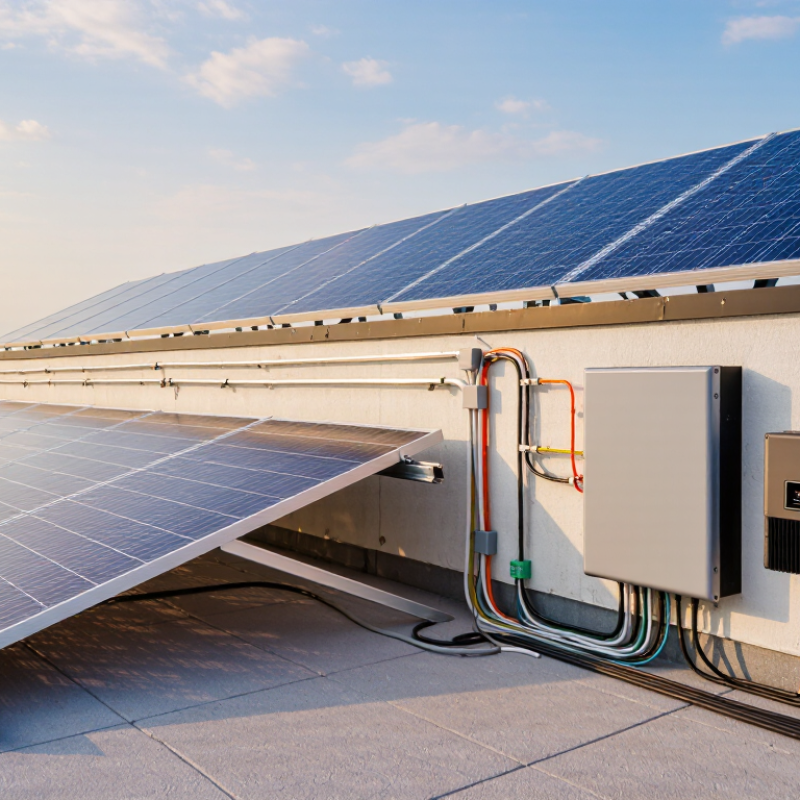
Before choosing solar electronics, define what the system must power. Start with twelve months of electricity bills, not a guess based on roof size. The U.S. Energy Information Administration reports that the average U.S. residential customer used 10,791 kWh in 2022. Your household may differ sharply. A small apartment and a home with electric heating have very different needs. Check monthly use, then note heavy loads such as an oven, well pump, or air conditioner. Peak demand matters too. A system may cover daily energy but still struggle when several large appliances run together.
Separate ordinary use from backup needs. List essential circuits, such as refrigeration, lights, internet equipment, and medical devices, then estimate their watts and hours of use. Add them to estimate daily energy, but remember that startup surges can exceed running power. The National Renewable Energy Laboratory’s PVWatts tool estimates solar production using factors including location, system size, tilt, and orientation. That is a useful planning reference, not a guarantee. Shade from one tree can change the result. So can winter weather. It is easy to overlook seasonal gaps. Compare estimated production with your actual consumption, and leave room for uncertainty before sizing an inverter, battery, or other electronics.
Choosing solar electronics starts with matching each component to the system’s actual loads. An inverter converts battery power into household-style electricity, but its continuous rating is only part of the picture. A refrigerator or pump may briefly demand much more power at startup. Check both running and surge ratings, then leave reasonable headroom.
Bigger is not always better; an oversized inverter can waste energy while sitting idle.
A charge controller manages power flowing from the panels to the battery. Compare its supported battery voltages, solar input limits, and charging settings with your array and battery specifications. Small details matter. A controller that cannot handle the array’s voltage or current may limit performance.
Batteries also differ: lithium models are often lighter and usable across a wider capacity range, while lead-acid options may cost less upfront but need more careful discharge planning. Compare usable capacity, expected cycle life, temperature limits, and required maintenance—not just the price tag.
In a cabin, a few cloudy days can expose an undersized battery quickly. Still, estimates are imperfect; real consumption often differs from a neat spreadsheet. Review your daily loads, including nighttime lighting and occasional appliances, before settling on a combination.
Solar electronics must match the electrical behavior of the panels, battery, and loads. Check voltage and current ratings on every component, not just the inverter. A panel’s open-circuit voltage can rise in cold weather, so compare its maximum value with the controller’s input limit. Also check operating voltage, current capacity, and whether the inverter accepts the battery’s voltage. Small mismatches matter.
Tips: Read the equipment labels and manuals side by side. Check the panel string’s maximum voltage in cold conditions. Confirm the controller supports the battery’s chemistry and charging limits. Leave sensible headroom; ratings should not sit right at their maximum. A cramped match can fail. I still double-check connector polarity, because a clear label is easy to overlook during installation.
Consider the whole system, including cable length, wire gauge, and expected load. Long DC cable runs can cause voltage drop, especially when current is high. Make sure disconnects and protective devices are rated for the circuit’s voltage and current. Do not assume two parts are compatible because their plugs fit. I have seen that assumption cause needless rework. Keep a written list of component specifications, then review it with a qualified solar professional before energizing the system. If a rating is unclear, pause and verify it rather than guessing.
Tip: Check safety functions before comparing output. Ask whether the inverter or controller includes ground-fault protection, overtemperature shutdown, and clearly labeled disconnects. For grid-connected equipment, confirm required anti-islanding protection. These features should appear in the exact model’s documentation, not just sales copy. Have a qualified installer check placement and wiring. Tiny label details matter. Details matter.
Tip: Treat durability as a set of conditions, not a rugged-looking case. Read the enclosure rating and temperature range, then compare them with your site: a dusty shed, coastal air, or a sun-baked wall. Check corrosion guidance, ventilation clearances, and warranty exclusions. A sealed unit can still overheat in a cramped space. It is easy to overlook this.
Tip: Verify certifications on the product label and an official certificate database, where available. Match the full model number and revision; a certificate for a similar unit may not cover yours. Confirm the certification applies to your country and installation type. Ask your installer to document the checks. Paperwork feels dull, but it helps catch mismatches. Pause and verify.
Tip: Compare the full installed cost, not just the electronics price. Ask for an itemized quote covering equipment, labor, monitoring, and any electrical upgrades. A lower price can hide extra work, such as replacing an undersized panel. Check whether service visits or shipping are included. Small details matter.
Tip: Read warranty terms closely. Look at coverage length, exclusions, and who handles a claim. Equipment warranties may differ from workmanship coverage, and some require installation records. Keep the quote, serial numbers, and commissioning report together. Paperwork is easy to misplace. A long warranty is useful only when its conditions are clear.
Tip: Consider what you may add later. If you might install more panels or battery storage, ask whether the inverter and electrical setup can support that change. Confirm spare capacity and compatibility in writing. Expansion can cost more if key components need replacement. I’ve seen planning focus too much on today’s bill; future needs are easy to underestimate, and predictions are not always right. Compare options using the same assumptions before deciding.
Indicative U.S. hardware-only price ranges in USD; actual prices vary by system size, features, and market. Installation, permits, and other balance-of-system equipment are excluded. Warranty terms are typical examples, not guarantees—confirm the exact terms before purchase.
| Tip | What to Compare | Typical Cost Reference | Typical Warranty Range | Future Expandability | What to Check |
|---|---|---|---|---|---|
| 1. Match inverter type to your roof | String inverters suit simpler, unshaded arrays; module-level electronics can help when panels face different directions or experience partial shading. | String inverter, roughly 3–8 kW: $800–$2,500. Module-level devices are usually priced per panel. | String inverters commonly carry 10–12 years; module-level devices commonly carry 20–25 years. | String systems may need compatible equipment when adding panels. Module-level systems can make panel-by-panel additions easier, subject to system limits. | Compare roof layout, shading, system design, replacement access, and total installed cost—not just the electronics price. |
| 2. Compare microinverter system costs | Microinverters convert power at each panel and can provide panel-level monitoring. | Often about $150–$300 per unit; the number required depends on panel count and system design. | Many products offer 20–25 years; verify coverage, exclusions, and labor terms. | Adding panels may be straightforward if the electrical service, system design, and applicable interconnection limits allow it. | Check the maximum supported panels, AC output, monitoring access, and whether replacement labor is covered. |
| 3. Check optimizer requirements | DC power optimizers work with a compatible inverter and can provide module-level performance data or help manage panel mismatch. | Often about $50–$100 per panel, with a separate compatible inverter cost. | Optimizer warranties commonly range from 20–25 years; inverter coverage may be shorter. | Panel additions depend on the inverter’s capacity, optimizer compatibility, and the original system design. | Confirm that the inverter and optimizers are designed to operate together and that monitoring features are included. |
| 4. Decide whether battery readiness is worth paying for | A hybrid inverter can manage solar and a compatible battery; a solar-only inverter may require additional equipment for storage later. | Residential hybrid inverter, roughly 5–10 kW: $1,500–$4,000. | Commonly around 10–12 years; some terms depend on registration or operating conditions. | Battery expansion is possible only with compatible battery chemistry, voltage, software, and available inverter capacity. | Get written confirmation of supported batteries, backup capability, and any additional equipment needed. |
| 5. Size for expected power, not just panel count | Compare continuous AC output, peak output, and the inverter’s allowed DC input against the array design. | Costs vary substantially by capacity; compare quotes at the same kW rating and with equivalent features. | Warranty length usually does not increase with a larger capacity rating; compare the exact product terms. | Unused capacity may allow future additions, but only within the inverter’s input, electrical, and code limits. | Ask for the proposed DC-to-AC ratio and confirm that the design follows the equipment manufacturer’s limits. |
| 6. Read warranty details, not just the headline term | Compare parts coverage, replacement shipping, labor, registration requirements, and the process for making a claim. | Warranty extensions may cost extra; request their price and coverage in the quote. | Many string inverters have 10–12-year standard coverage; module-level electronics commonly offer longer terms. | A replacement unit must remain compatible with the existing system and any planned expansion. | Check whether the warranty is transferable and whether labor or removal and reinstallation are excluded. |
| 7. Verify backup-power requirements | Backup operation may require a compatible inverter, transfer equipment, and a designated backup-load panel. | Backup gateways or transfer equipment may add roughly $500–$1,500 in hardware, depending on configuration. | Coverage varies by component; check the warranty for each device separately. | Future backup loads may require extra capacity or a different electrical configuration. | Ask which circuits operate during an outage, whether solar can recharge the battery, and what the system cannot power. |
| 8. Check monitoring and communications | Review app access, panel-level or system-level data, internet requirements, and alert features. | Monitoring is often included; optional communications hardware can add cost, depending on the system. | Monitoring-service terms may differ from the electronics warranty and may require an active internet connection. | Additional devices may need compatible communications hardware, software, or monitoring capacity. | Confirm who can access system data, how faults are reported, and whether monitoring depends on a subscription. |
| 9. Confirm electrical and utility compatibility | Check voltage, phase, grid-interconnection requirements, equipment certifications, and local electrical rules. | Costs depend on the site and any required electrical upgrades; compare these as separate quote items. | Certification does not replace warranty coverage; review both independently. | Electrical-panel capacity and utility approval can limit later expansion even when inverter capacity remains. | Have the installer confirm applicable local requirements and the utility’s interconnection process before purchase. |
| 10. Compare total ownership cost | Include purchase price, installation, monitoring, warranty extensions, likely replacement work, and expansion equipment. | Request itemized quotes with matching system capacity, equipment scope, and installation assumptions. | Compare coverage duration and exclusions across all major electronics, not only the inverter. | Ask for a written expansion plan, including compatible equipment and any likely electrical or permitting changes. | Choose based on lifetime fit and documented compatibility—not the lowest upfront electronics price alone. |